How to find clothes from a Pinterest screenshot (2026 guide)
Every week I save forty Pinterest outfits I never actually buy. Here is the workflow that changed that — four steps, eighteen seconds per fit, every piece priced and linked.
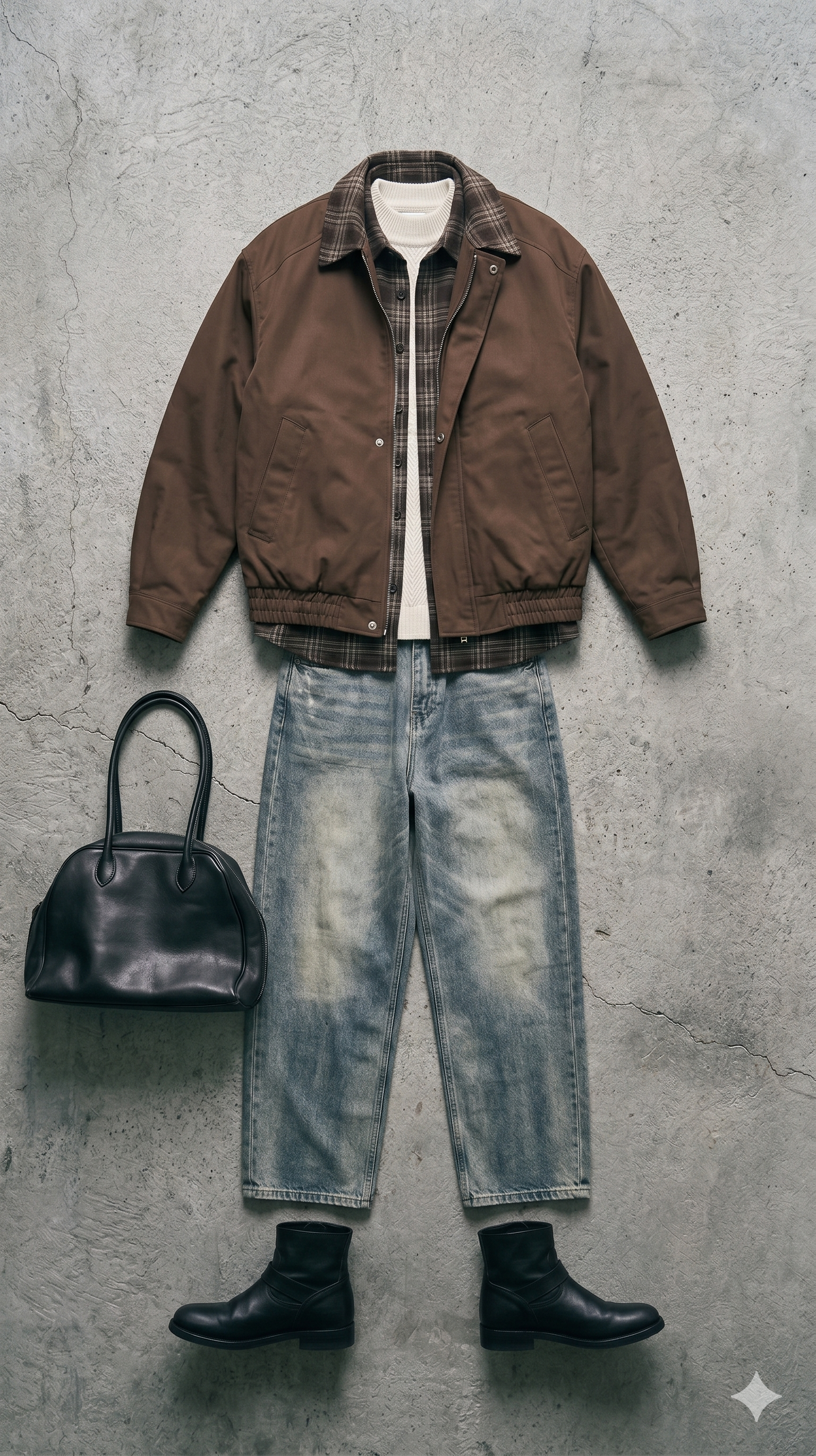
I have a Pinterest board called fits. It has 412 saves. I have bought exactly three garments off it in the last two years. The rest lived there as mood, not merchandise — little rectangles of other people's style that felt like inspiration but functioned like wallpaper.
The problem was never taste. The problem was the gap between I want that jacket and I can actually buy that jacket. Pinterest shows you a picture. It does not tell you the brand, the fit, the current stock, or whether the shape even works on a body that isn't 6'2" with a razor jaw. Most of the time the original pin links nowhere — a dead retailer, an Instagram re-upload, a blog from 2019.
The workflow below is what I actually do now. It takes about eighteen seconds per fit and it turns a Pinterest save into a receipt-style shopping list with live prices and live stock. No detours, no “people also bought” scroll.
Step 1 — Screenshot, don't save
Saving to a board is a deferral. Screenshotting forces a decision. When you see a fit you actually want, take the screenshot right then — while the intent is sharp. The board is where fits go to die; the screenshot folder is where they go to get bought.
Crop tight. Cut out the Pinterest chrome, the profile avatar, the “More like this” rail. Tools that read the image get distracted by anything that isn't the garment — you want the jacket, the trouser, the boot and nothing else.
Step 2 — Split the fit into pieces
A Pinterest outfit is not one item — it is a stack. The jacket, the layer under it, the bottom, the footwear, the bag, the accessory. Reverse image search (Google Lens, Pinterest Lens) treats the photo as a single blob and returns a hundred “visually similar” pictures of entire outfits. That's useless: you wanted the jacket, not a tour of other people wearing vaguely the same jacket.
The right tool decomposes. It pulls the bomber out, the turtleneck out, the jean out, the boot out — and searches each garment as its own query, against real retailer inventory. Looksharp does this in one pass. That is the whole product: drop the screenshot, get the pieces separated and priced.
Step 3 — Clear against your colour, not the model's
The dirty secret of “shop the look” is that the look was put together on someone who does not share your colouring or climate. A piece that reads sharp on a paler model in October Paris might read like a costume on a deeper-toned frame in August Augsburg.
One filter matters here. Colour season — whether you are a deep winter, a soft autumn, a clear spring — decides which of the five visually-similar sweaters will make you look alive instead of washed out. Set it once. Never look at a swatch the same way again.
Step 4 — Buy what is in stock, not what has a good photo
Retailers love to keep out-of-stock product pages live for SEO. A beautiful jacket on a dead URL is not a jacket you can own. The last filter before the checkout button is always: is this actually in stock tonight? Not in a week, not on pre-order — tonight.
Looksharp verifies stock on every extraction, so if something appears in the receipt it is buyable. If a piece has been out of stock for more than a few hours we surface the closest in-stock visual match instead. The math is boring: a shoppable near-match beats an unshoppable exact match every single time.
The four-step workflow, compressed
- Screenshot the fit the moment you see it — cropped tight, Pinterest chrome removed.
- Decompose it into individual pieces — jacket, layer, bottom, footwear, bag.
- Clear each piece against your colour season — filter, don't browse.
- Save the edit to your free library, then buy only pieces with verified live stock.
That's the entire method. When I run it, a Pinterest save turns into an actual parcel three to five days later. When I don't, the save turns into another rectangle on a wall of rectangles.
Try it on your own screenshot — credit packs from €5.99, never expire. Or browse the public library to see the workflow applied to other people's saves.
Related dispatches
- Shop the look: seven tools compared — the head-to-head behind why decomposition beats reverse image search.
- From TikTok to wardrobe in 18 seconds — the same workflow, applied to TikTok stills.
- The viral Shinzo jacket from @romerosego — a worked example of the four-step method on a real screenshot.
- Example fit · Black leather jacket, black wool trouser — what the four-step decomposition produces in practice.
Published 2026-04-20 by Looksharp editorial.
Topics: pinterest · shop-the-look · guide · workflow